SKMacro Icon

SKMacro

Advanced macro automation tool for enhanced productivity

About SKMacro

SKMacro is a powerful automation tool designed to streamline your workflow and boost productivity. Create custom macros, automate repetitive tasks, and take control of your computer with an intuitive and feature-rich interface.
1.0.11
Current Version (Beta 1)
Windows
10/11 Supported
Free
Core Features

🎯 Core Macro Features

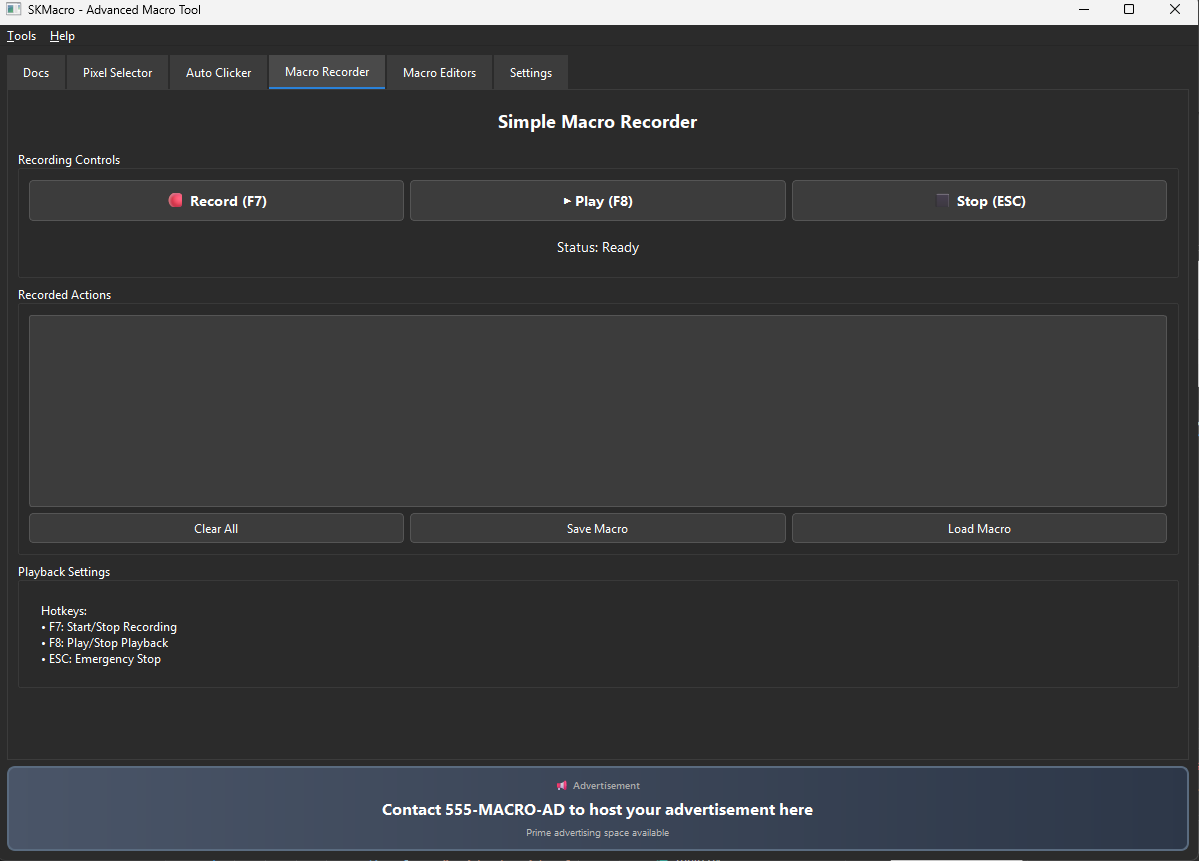
Simple Macro Recorder

  • Record & Playback: Capture mouse movements, clicks, scrolls, and keyboard input
  • Smart Optimization: Filters redundant mouse movements (10px threshold, 50ms intervals)
  • Speed Control: Adjust playback speed from 0.1x to 10x
  • Repeat Options: Loop infinitely or run a specific number of times
  • Binary File Format: Compressed .skg files (70% smaller than JSON)
  • Hotkey Control: F7 to record, F8 to play, ESC to stop
Macro Recorder
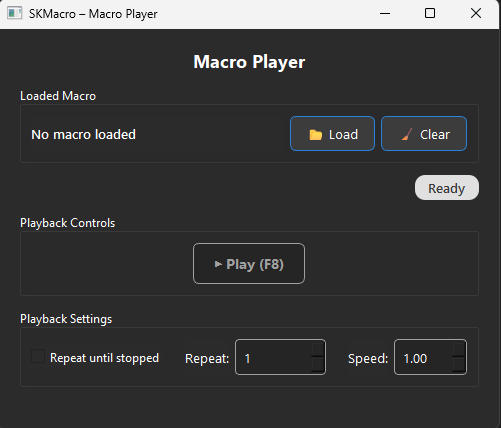
Macro Player

Macro Player (Standalone Window)

  • Load/Clear/Play: Simple controls for macro execution
  • Live Status: Shows which macro is currently loaded
  • Repeat Control: Set loop count or run infinitely
  • Speed Adjustment: 0.1x to 10x playback speed
  • Hotkey Integration: Displays current hotkey bindings on buttons
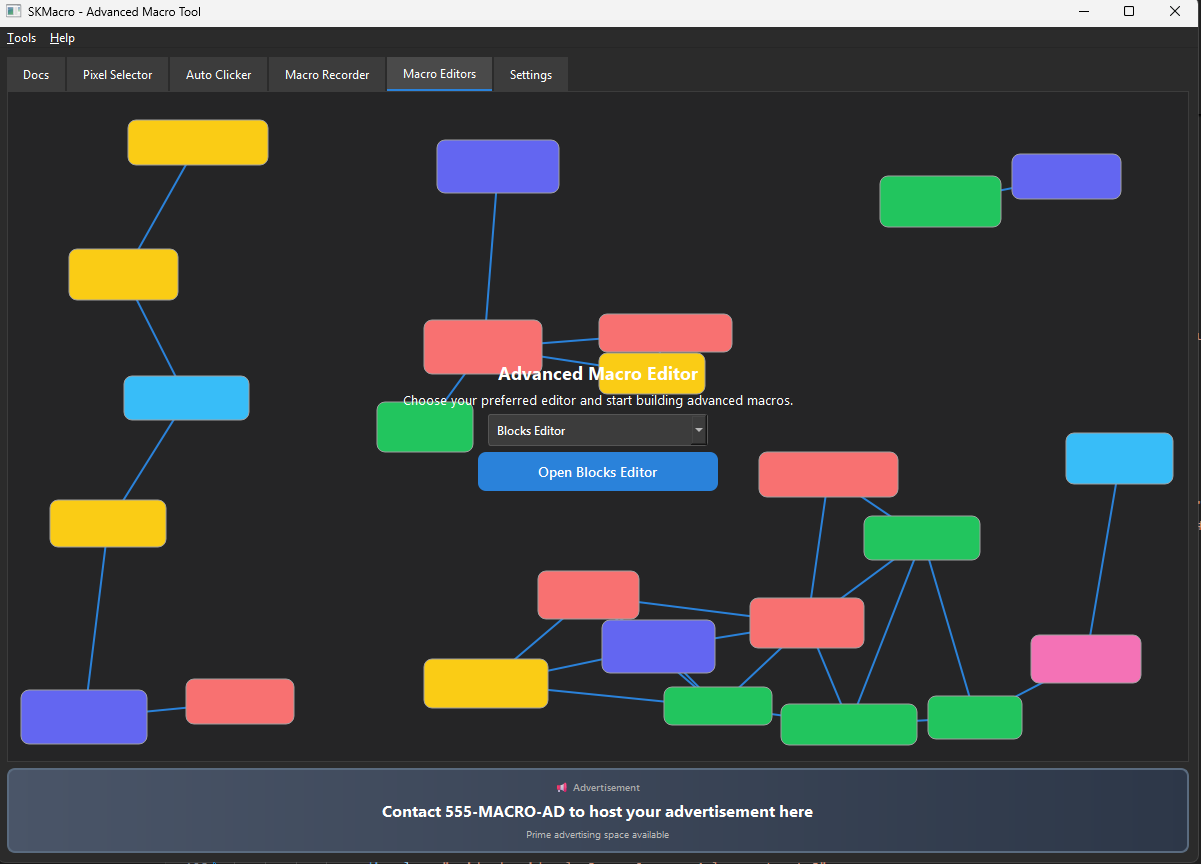
Pre Blocks Editor

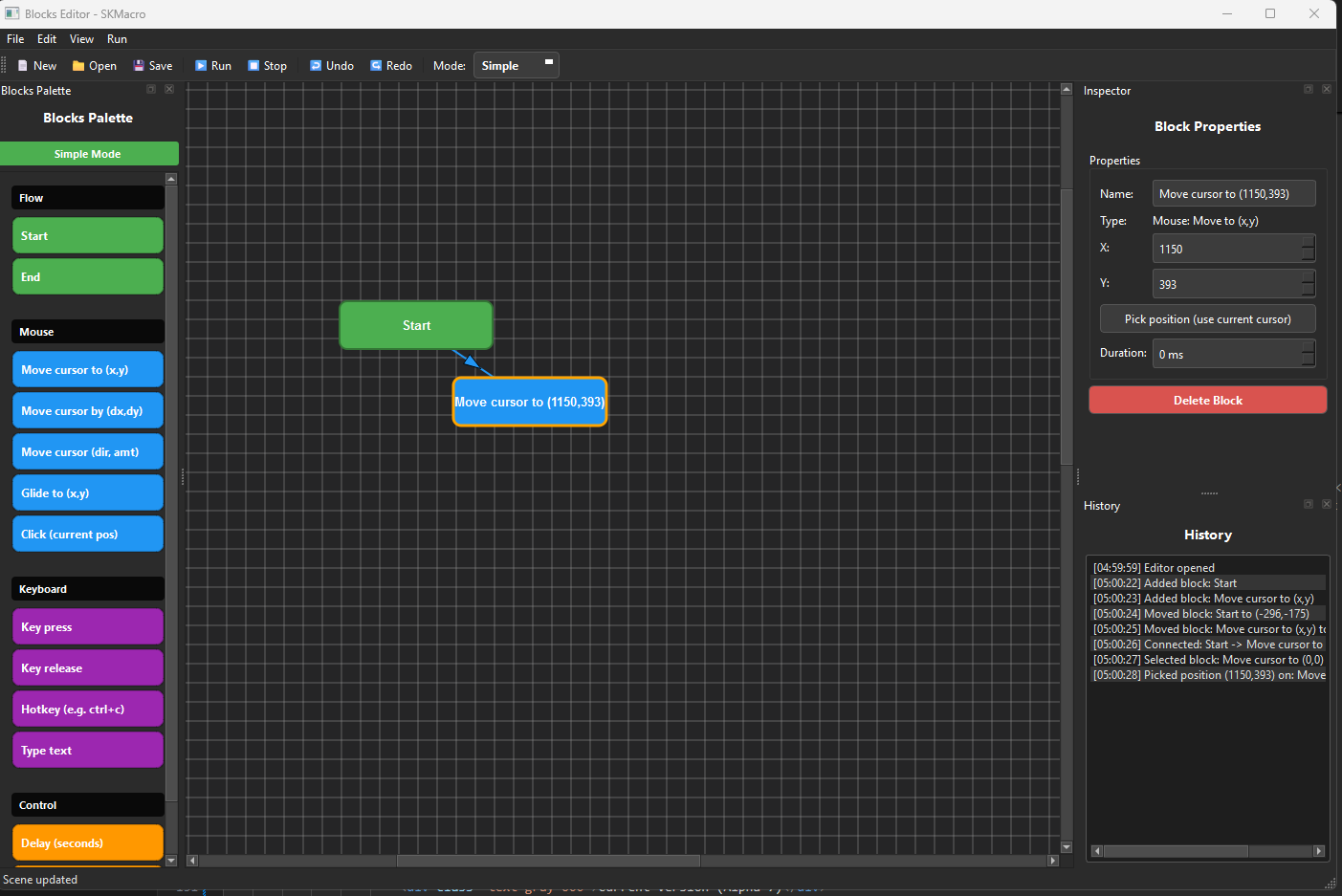
Blocks Editor (Visual Programming)

  • Drag & Drop Interface: Create macros visually with connected blocks
  • Block Types: Mouse clicks, movements, key presses, hotkeys, delays, image search, pixel detection
  • Infinite Canvas: Auto-expands with 500px margins as you work
  • Macro Conversion: Opens Simple Macro files and converts them to blocks automatically
  • Inspector Panel: Edit block properties with intuitive forms
  • Screen Picker: Click anywhere to capture coordinates for blocks
Blocks Editor

Advanced Features

Coming Soon

Logic blocks (if/else, loops), variables, and advanced screen detection

Language Editor (Code-Based Macros)

Coming Soon

Full code-based macro scripting with syntax highlighting and debugging
⚡ Automation Tools

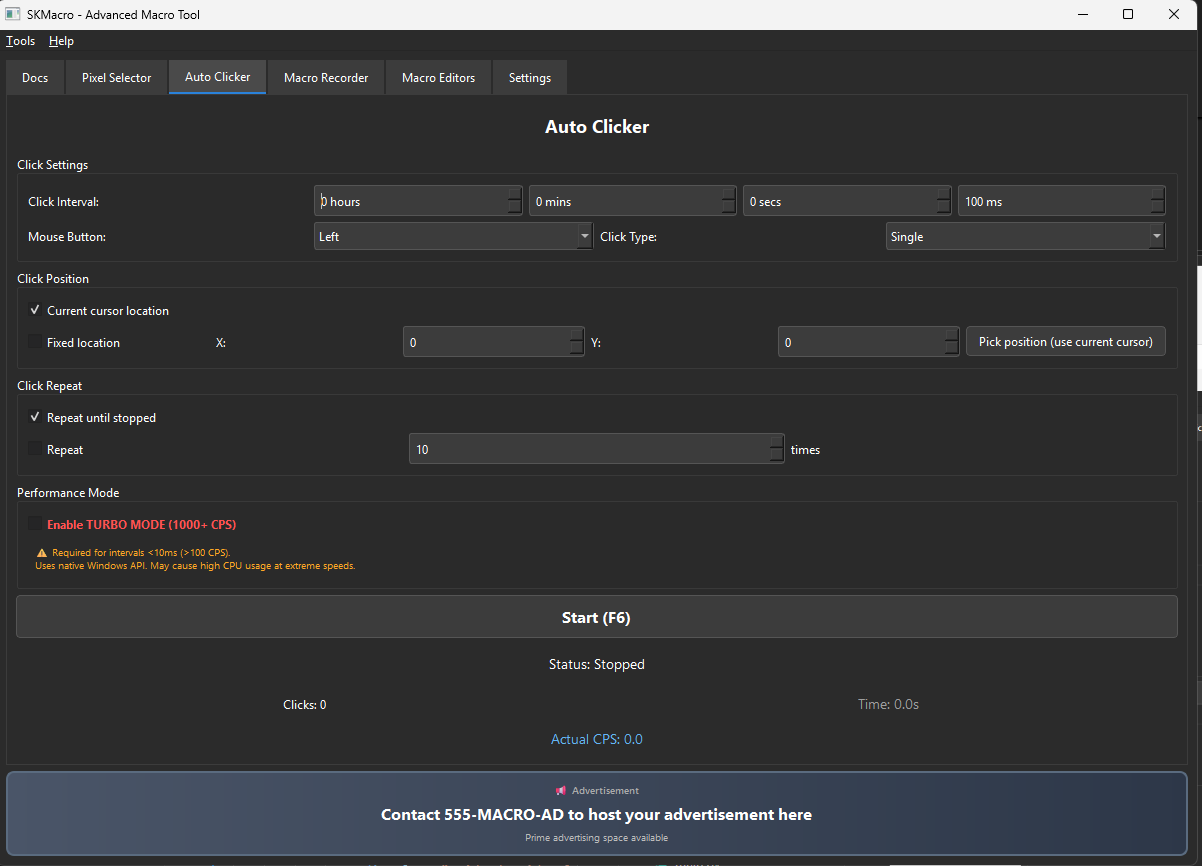
Auto Clicker

Auto Clicker

  • Precision Timing: Hours, minutes, seconds, milliseconds intervals
  • Click Types: Single or double clicks
  • Mouse Buttons: Left, right, or middle button
  • Position Modes: Follow cursor or click at fixed coordinates
  • TURBO MODE: 500-1000+ clicks per second using native Windows API
  • Performance Stats: Real-time CPS counter, total clicks, elapsed time
  • Repeat Options: Click until stopped or reach a specific count

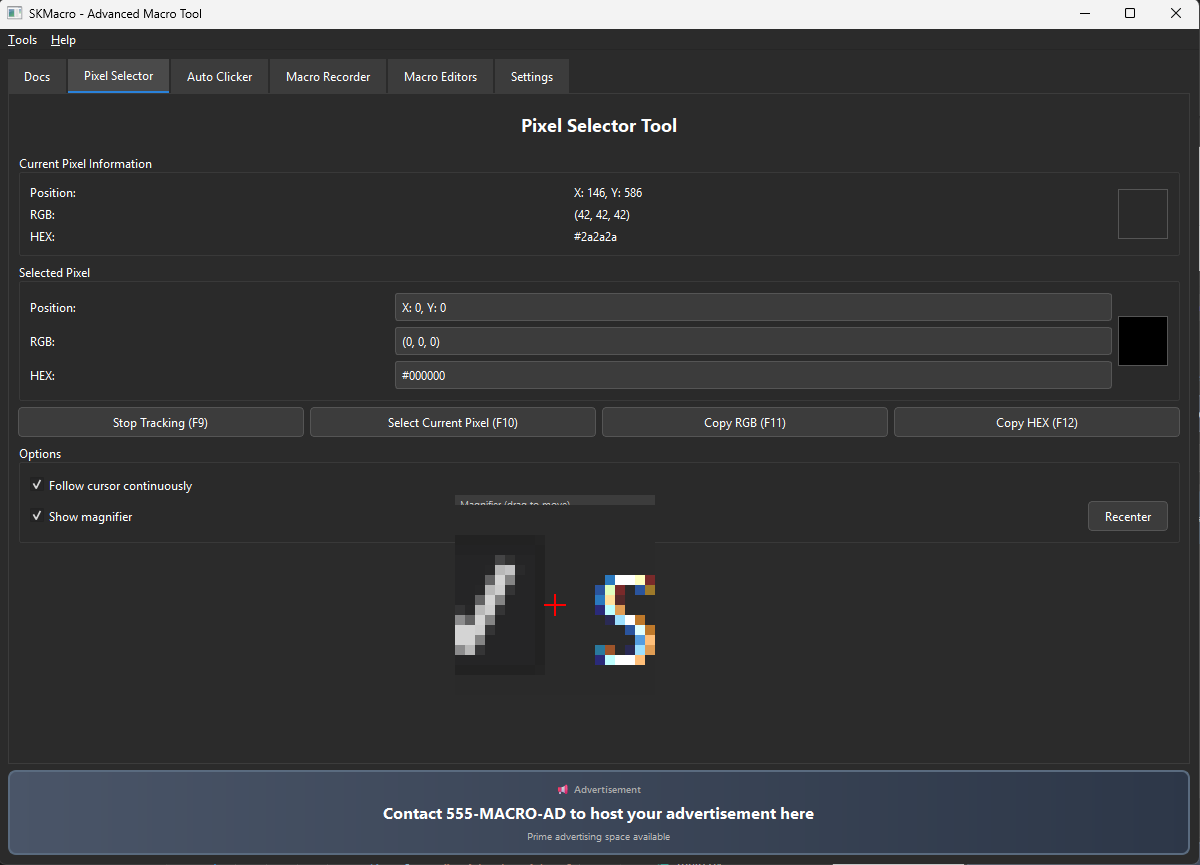
Pixel Selector

  • Real-Time Tracking: Monitor pixel color under cursor continuously
  • Magnifier Window: Draggable 200x200px zoom view with crosshair
  • Color Formats: RGB and HEX with live preview boxes
  • Clipboard Support: One-click copy of RGB or HEX values
  • Hotkey Actions: F9-F12 for tracking, selecting, and copying
Pixel Selector

🎨 Customization

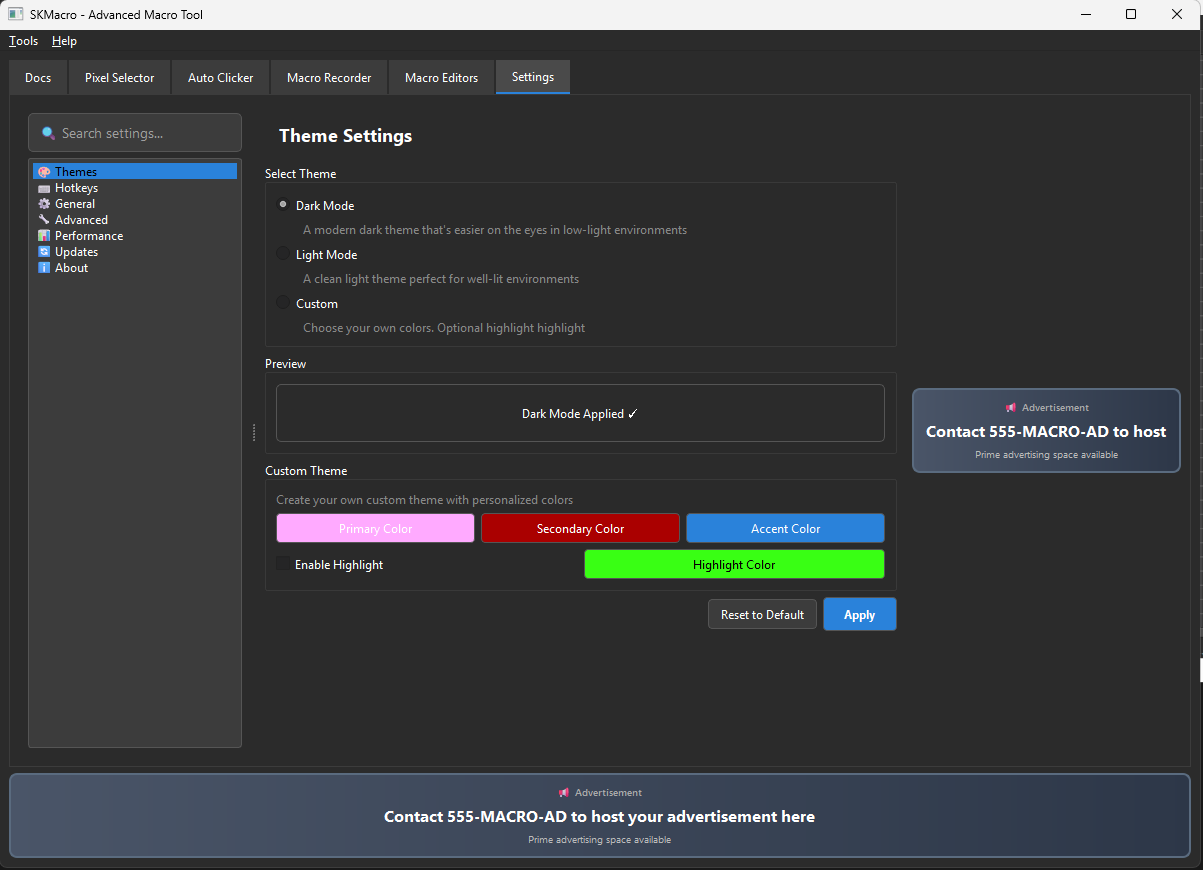
Theme System

  • Dark Mode: Modern dark theme for low-light environments
  • Light Mode: Clean light theme for bright spaces
  • Custom Themes: Create your own with primary, secondary, accent colors
  • Optional Highlight: Add neon accent borders and highlights
  • Live Preview: See changes instantly before applying

Hotkey Configuration

  • Global Shortcuts: System-wide keyboard shortcuts (work in all apps)
  • Customizable Bindings: Change any hotkey to your preference
  • Visual Capture: Press keys to record custom combinations
  • Default Hotkeys: F6-F12 and ESC for common actions
  • Instant Updates: UI buttons refresh to show new hotkeys

Advanced Settings

  • Launch on Startup: Auto-open specific editor when app starts
  • Admin Elevation: Request UAC privileges automatically
  • File Associations: Associate .skg files with SKMacro (requires admin)
Customization Settings

📚 Documentation & Help

Docs Tab

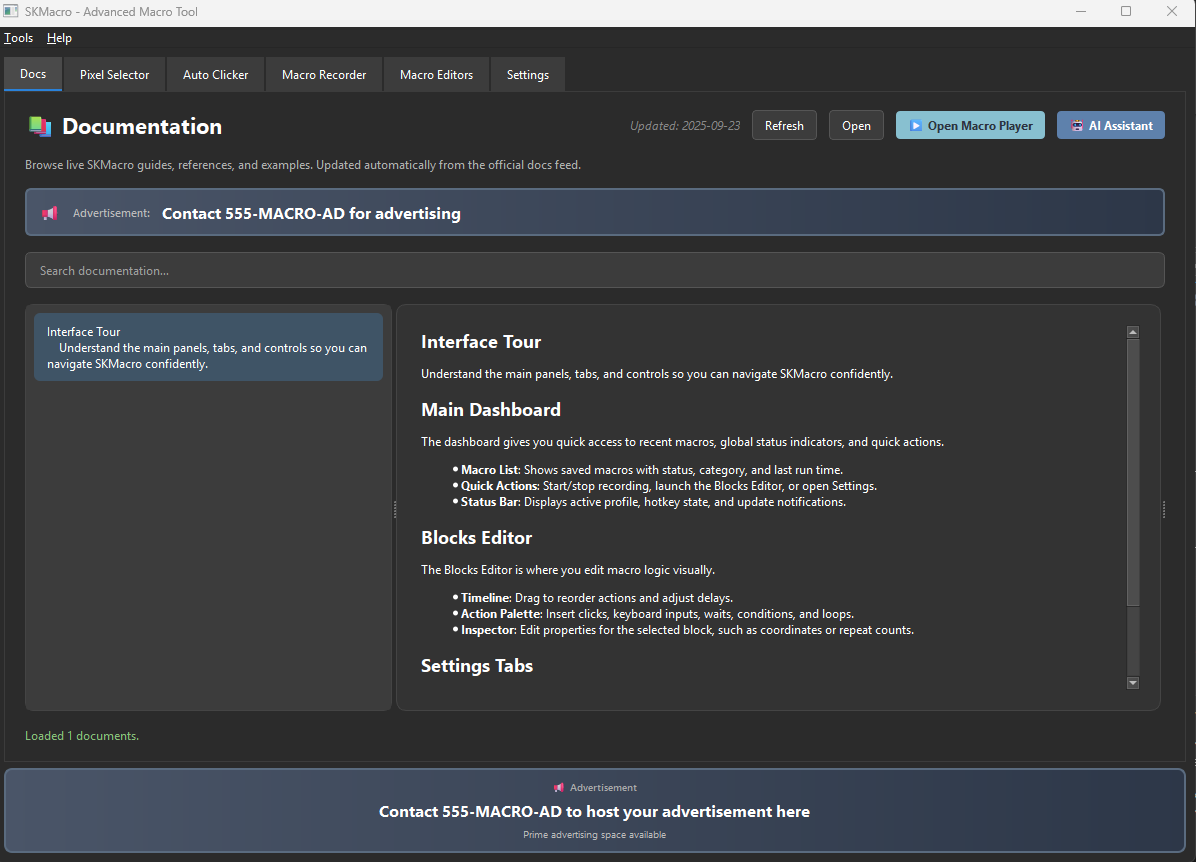
  • Live Feed: Automatically fetches latest documentation from remote server
  • Search: Filter docs by title, summary, tags, or content
  • AI Assistant: Built-in chatbot powered by OpenAI's reasoning model (gpt-oss-120b) hosted by NVIDIA
  • Context-Aware: AI has access to all loaded documentation (~100k tokens)

AI Chat Widget

  • Streaming Responses: Real-time answers with typing animation
  • Markdown Support: Formatted code blocks, tables, lists
  • Reasoning Tokens: Show/hide AI's thought process (collapsible)
  • Conversation History: Remembers messages until you close the chat or start a new one
Documentation Page

Ready to Automate?

Download SKMacro now and start boosting your productivity

Download Now (Beta)